Coordinate transformations have a wide range of applications in computer graphics. The basic idea is that child objects are drawn relative to a parent object rather than based on the world coordinates. For example, an arm always starts from the same location relative to the parent body. As the parent body moves and rotates, its not necessary to recalculate where the arm should be, the coordinate system is (temporarily) placed on the parent body, aligned with the direction the body is facing in, and then the arm always starts from the same location relative to that coordinate system.
In Processing there’s several steps involved in transforming coordinates:
- Store the current coordinate system using
pushMatrix()– this ‘pushes’ the matrix transformations that defines the current coordinate system onto a stack. - Apply transformations.
- Draw using the new coordinate system.
- Use
popMatrix()to pop the most recent set of transformations off the stack, returning to the previous coordinate system.
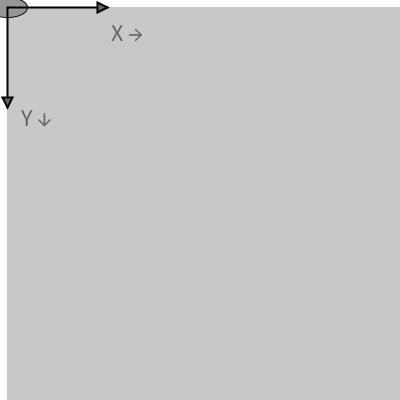
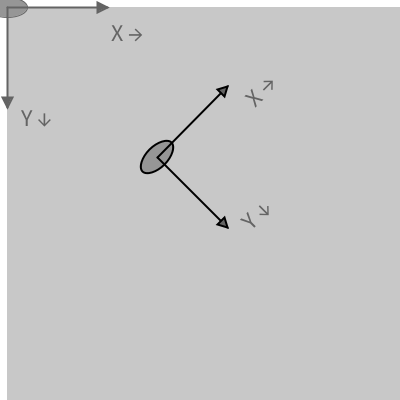
In Processing, and many other, graphic systems the origin is in the upper left, with the X axis to the right and the Y axis down. But this can be changed using transform() and rotate() operations:
Because transformations are cumulative, it’s important to manage them carefully by using pushMatrix() and popMatrix(), especially when drawing multiple objects, for example in a multi-agent system, or in a drawing using recursion. The example below illustrates the difference between using them and not using them.
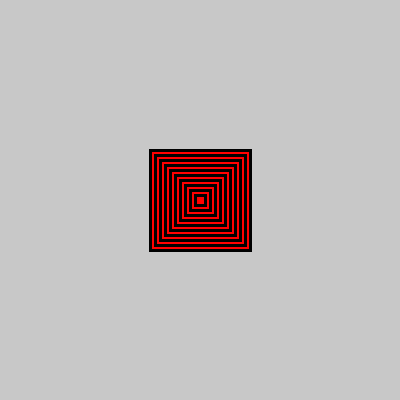
rectMode(CENTER);
for(int i=100; i > 0; i -= 10){
  pushMatrix(); // store
  translate(200,200);
  rect(0,0,i,i);
  popMatrix(); // reset
}
The use of
pushMatrix() and popMatrix() resets the coordinates so each square is drawn at 200,200 (on top of each other.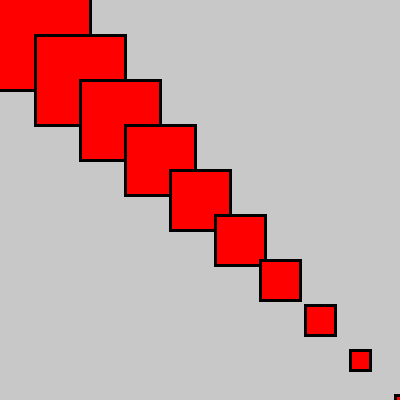
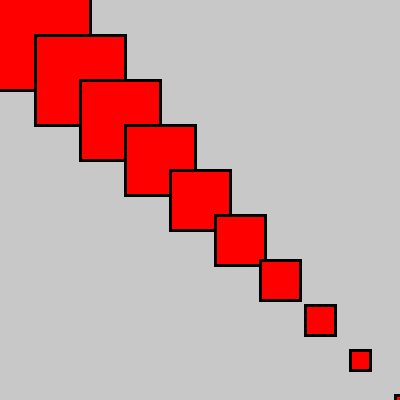
for(int i=100; i > 0; i -= 10){
translate(40,40);
rect(0,0,i,i);
}
Here pushMatrix() and popMatrix() are not used so each new square is drawn offset from the previous square by and addition translation of 40,40.
Simple applications of transformations can be seen in generating simple fractals and growing trees.
Processing Transformations
Processing (and most other graphical environments and libraries) has a whole array of transformations that can be applied to the coordinate system:
translate(x, y, [z])– Shifts the origin of the coordinate system. The parameter z is used in 3D mode.rotate(angle) – Rotates the coordinate system by the specified angle (in radians) around the origin.rotateX(angle)– Rotates the coordinate system around the X-axis by the given angle (in radians). Used in 3D rendering.rotateY(angle)– Rotates the coordinate system around the Y-axis by the given angle (in radians). Used in 3D rendering.rotateZ(angle)– Rotates the coordinate system around the Z-axis by the given angle (in radians). Used in 3D rendering.scale(s)– Scales the coordinate system uniformly by a factor ofs. All subsequent shapes are drawn proportionally larger or smaller.scale(x, y, [z])– Scales the coordinate system non-uniformly by x horizontally, y vertically, and by z depth-wise in 3D mode.shearX(angle)– Applies a shear transformation along the X-axis by the specified angle (in radians), slanting shapes horizontally.shearY(angle)– Applies a shear transformation along the Y-axis by the specified angle (in radians), slanting shapes vertically.pushMatrix()– Saves the current transformation matrix to the stack. Useful for isolating transformations to specific drawing operations.popMatrix()– Restores the most recently saved transformation matrix from the stack. Used in conjunction withpushMatrix()to revert to previous coordinate states.
Leave a Reply